Screen Layout and Features
At the left of the screen, a navigation bar indicates your location within the exam section and displays information about the status of each item. If an item is too long to display on one screen, a scroll bar will appear. There is a border around each set of response options. If you do not see the bottom of the response set border, scroll down to see all of the options.
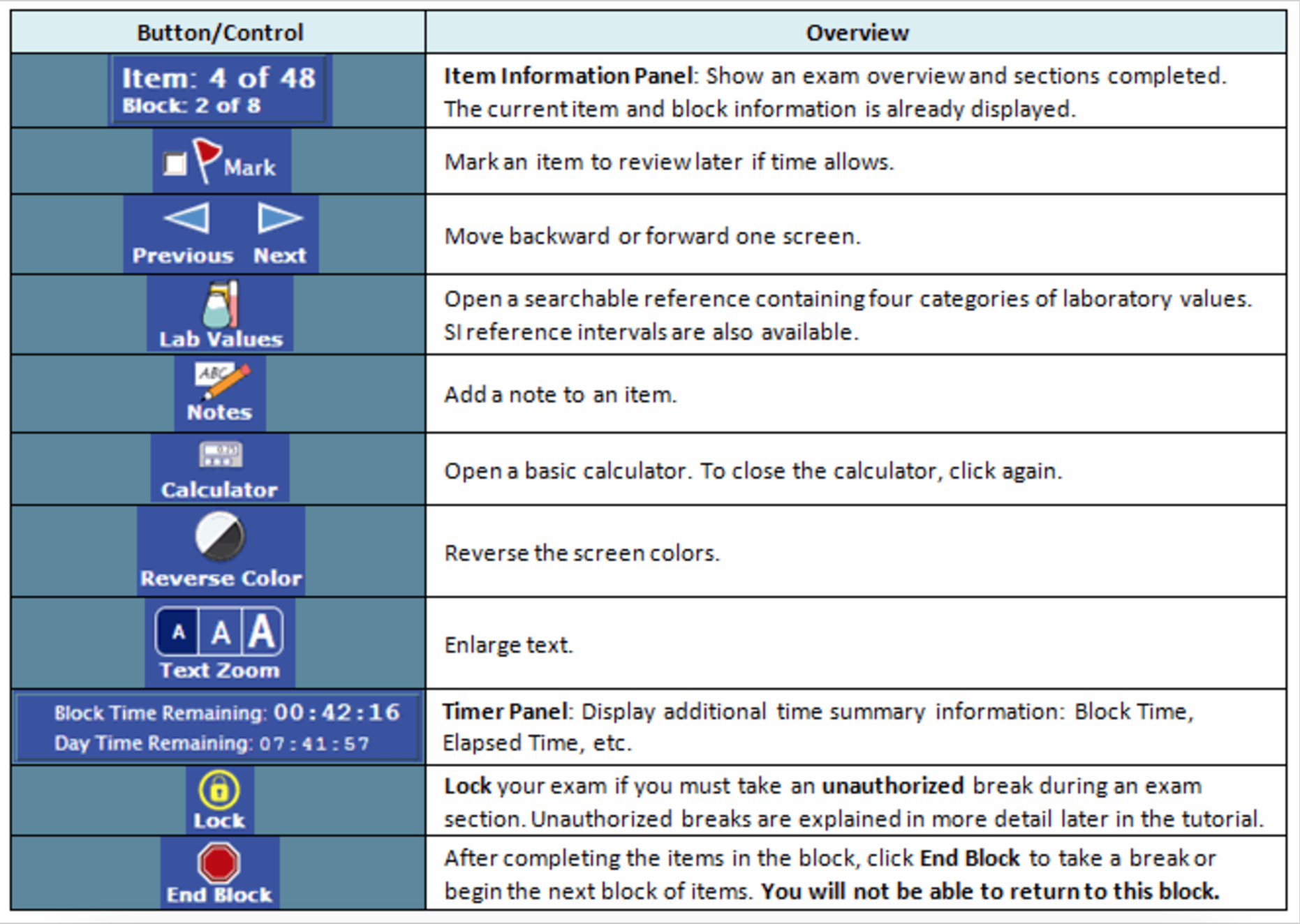
The toolbars at the top and bottom of the screen enable you to use certain features or perform actions during the test. Review the table shown for functionalities that will be available during your test.